1766043163947.webp&w=3840&q=75 "Most Common ServiceNow Service Mapping Errors (and Their Solutions)")
ServiceNow Service Mapping functionality provides crystal-clear visibility to your critical business services. It connects applications, infrastructure, and cloud resources, showing you exactly how everything works together. In most environments, the problem isn’t the tool but a few recurring implementation mistakes.
This blog post covers the most common Service Mapping errors we see in ServiceNow projects and how to fix them quickly. Hence, your service maps become reliable, providing actionable views of your business services.
Common Service Mapping Errors in ServiceNow
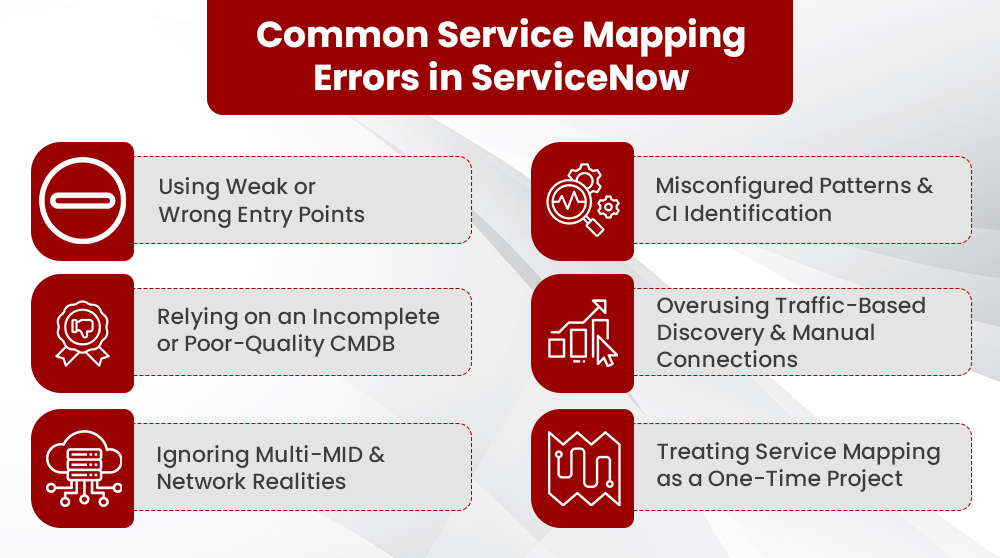
In practice, most issues with service maps do not come from ServiceNow capabilities, but from how Service Mapping is planned, configured, and maintained. Some of the most frequent errors are:
1. Using Weak or Wrong Entry Points
Entry points are the “front doors” that Service Mapping uses to begin discovering a service (URLs, hostnames, IPs, ports).
Typical mistake
1. Using vague or generic entry points (only the load balancer, or a shared URL used by multiple applications).
2. Reusing the same entry point for several application services without any differentiation.
How it shows up
1. Service maps that overlap or merge multiple services into one.
2. Partial maps where some layers never appear.
How to fix it
1. Work with service owners (the individuals or teams accountable for the end-to-end delivery and business value of a specific service)to define clear, business‑aligned entry points for each application service.
2. On the ServiceNow platform, ensure each Application Service has:
- Unique entry point definitions (for example, distinct URLs or paths).
- Names that reflect the business service, not just the host.
2. Misconfigured Patterns and CI Identification
Service Mapping relies on Discovery patterns and CI identification rules to recognize and relate to infrastructure.
Typical mistakes
Identification rules that are too broad or too narrow, causing:
1. One device to become multiple CIs, or
2. Multiple devices collapse into one CI.
3. Relationship rules that create duplicate or conflicting relations between CIs.
How it shows up
1. The same server or database appears multiple times in a single service map.
2. CIs with wrong names, wrong classes, or incorrect "Runs/ Depends on" relationships.
3. Identification engine errors and commit failures during mapping.
How to fix it
1. Review the identification sections across key patterns and ensure rules use stable, unique attributes (not volatile values).
2. Check and clean duplicate relationships in CMDB relationship tables if needed.
3. Use Discovery logs and pattern debugging to validate the identification before pushing changes into production.
4. Start with a small pilot service, stabilize patterns, then scale.
3. Relying on an Incomplete or Poor‑Quality CMDB
Service Mapping cannot compensate for a weak CMDB. If underlying CI data is wrong or missing, maps will be inaccurate.
Typically Mistakes
1. Critical components are undiscovered or only partially discovered.
2. CIs originate from conflicting sources(e.g., manual, imports, uncontrolled Discovery).
How it Shows up
1. Empty or broken layers in the service map.
2. "Unknown" or generic CIs appear in key places.
3. Different teams use conflicting records for the same assets.
How to Fix it
1. Prioritize CMDB health by ensuring completeness, correctness, and compliance with CI data.
2. Use ServiceNow’s CMDB best‑practice guidance as your baseline.1
3. Run targeted Discovery for missing components and standardize data sources.
4. Overusing Traffic‑Based Discovery and Manual Connections
Traffic‑based discovery (TBD) and manual connections are powerful, but they can quickly create noise if unmanaged.
Typical mistakes
1. Allowing traffic‑based discovery to create large numbers of connections without review.
2. Using manual connections as a shortcut instead of fixing patterns.
3. Leaving stale traffic‑based or manual connections in place after patterns improve.
How it shows up
1. Overconnected maps with too many dependencies.
2. Connections that do not reflect real, current behavior.
3. Changes to patterns or traffic rules are not reflected in existing maps.
How to fix it
Use traffic‑based discovery with governance:
1. Prefer suggestion/review workflows over auto‑creating connections. Automation and analytics can help surface intelligent connection suggestions and reduce noise.
2. Make pattern‑based connections as the default source of truth.
3. Use manual connections only for genuinely non‑discoverable components (for example, specific proxies).
4. Periodically review and clean old traffic‑based and manual connections, so maps stay accurate and meaningful.
5. Ignoring Multi‑MID and Network Realities
In real environments, services span multiple network zones and regions. One MID server cannot find anything.
Typical mistakes
1. Expecting a single MID server to discover all layers of a complex service.
2. Misconfigured IP ranges or credentials on MID servers.
3. Network or firewall rules silently block Discovery and are never fully resolved.
How it shows up
1. Some components of the same service never appear on the map.
2. Mapping works in one environment (for example, on‑prem) but not for cloud or another data center.
3. Mapping fails intermittently, depending on which MID server is selected.
How to fix it
Design a MID server strategy aligned with network topology:
1. Assign specific IP ranges or networks to each MID.
2. Validate credentials and connectivity for each key segment before mapping.
3. Use MID selection tests for Service Mapping to confirm that the correct MID is used for the correct targets.
6. Treating Service Mapping as a One‑Time Project
Service Mapping is often implemented once and then neglected, even as IT environments evolve.
Typical mistakes
1. Lack of clear ownership for map maintenance.
2. No regular review of evolving services.
3. Missing integration with change processes for map updates.
How it shows up
1. Maps quickly become outdated.
2. Stakeholders lose trust, reverting to manual tracking.
3. New services remain unmapped; old ones are never retired.
How to fix it
1. Assign ownership for Service Mapping configuration and individual service maps.
2. Implement naming conventions, conduct regular reviews (e.g., quarterly), and integrate map updates into change/release practices.
3. Treat Service Mapping as an ongoing practice.
A Simple 5 Step Playbook to Troubleshoot and Prevent Service Mapping Errors
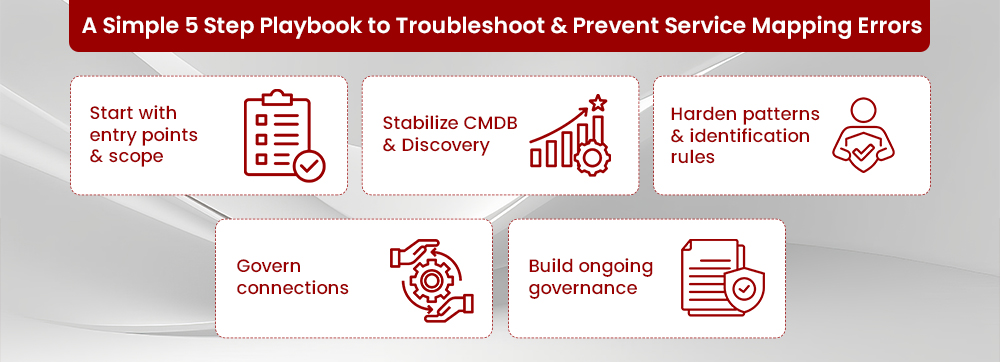
Step 1: Start with Entry Points and Scope
- Validate business services, owners, and entry points first
- Confirm that each critical service has a clear, unique set of entry points
Step 2: Stabilize CMDB and Discovery
Address obvious CMDB issues:
- Missing CIs
- Wrong classes
- Duplicate records
- Ensure Discovery reliably covers all key layers before mapping services
Step 3: Harden Patterns and Identification Rules
- Pilot patterns on a small, representative set of services
- Tune identification rules so each CI is recognized once, consistently
- Move to wider rollout only after logs and maps appear stable
Step 4: Govern Connections
Establish clear rules for connections:
- Pattern-based first
- Traffic-based with review
- Manual as an exception
- Periodically review connection quality on a sample of critical service maps
Step 5: Build Ongoing Governance
Define owners for:
- Service Mapping configuration
- Individual service maps
Set KPIs such as:
- Percentage of critical services mapped
- Percentage of maps reviewed in the last quarter
- CMDB health scores for mapped services
Get insights on What are Benefits of Service Mapping for Business?
Fixing ServiceNow Service Mapping with inMorphis
Accurate ServiceNow Service Mapping delivers:
- Faster incident resolution
- Safer, more predictable changes
- Clear visibility for business and IT stakeholders
inMorphis, an Elite ServiceNow partner, helps enterprises:
- Diagnose and resolve common mapping failures (entry points, patterns, connections, MID gaps)
- Improve CMDB health and Discovery coverage for mapped services
- Establish ownership, governance, and KPIs to ensure maps remain current
If your service maps are incomplete, inconsistent, or untrusted, it's time for a new approach.
Connect with inMorphis to transform Service Mapping into a dependable, current view of your critical services.
